Changes to Published Trading Procedures
If the terms of the auction need to be changed or if publications, errors were made before the deadline for accepting applications This trading procedure is subject to change.
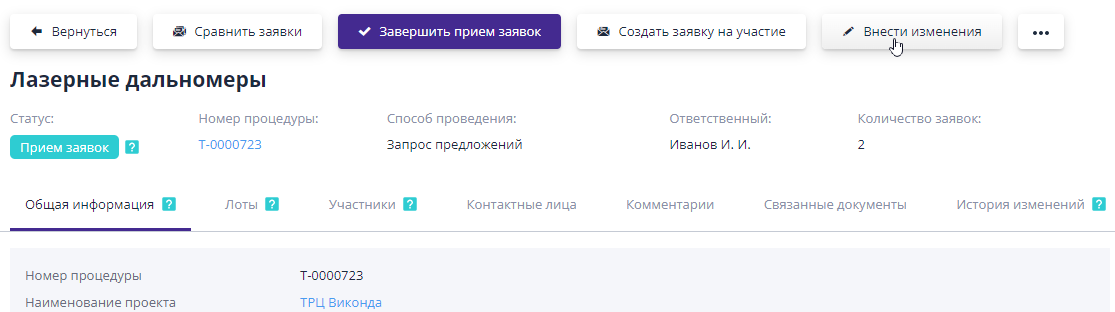
All information is subject to change, except for dates that have already occurred. (for example, the start date for submitting applications for participation).
Drafts of the draft changes are stored in the “Journal” section of your personal account documents."You can find the project you need by document type and name subject of the procedure.
If no changes are required, the draft changes can be delete:
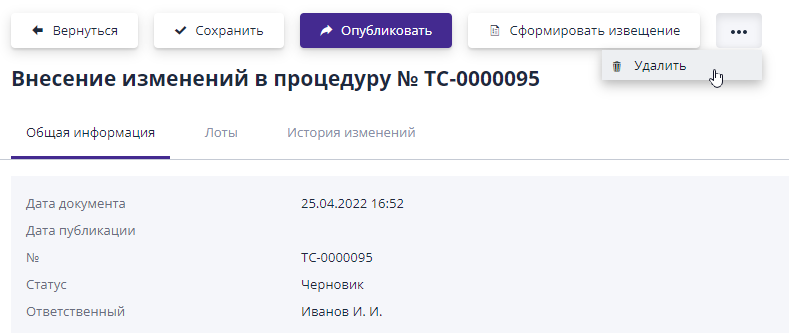
Editing a draft change draft is available until it is publications.Publication occurs by clicking the “Publish” button:
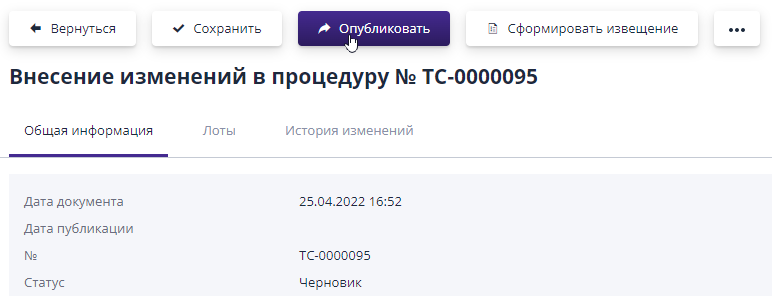
If, prior to changes in the trading procedure, applications for participation, then after the changes are published, the application data will change to the status “Requires changes”, participants will receive a notification with a link to view the changes made to the auction, and also please check the relevance of the application already submitted.
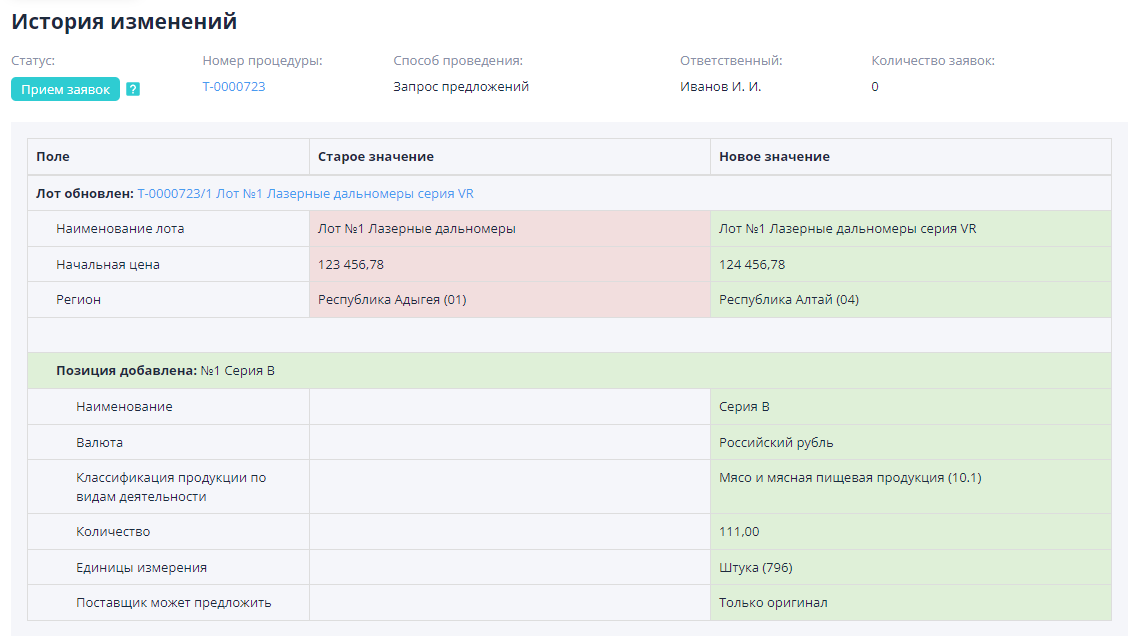
The publication of changes will be recorded on the bidding tab “History” changes."Viewing of published changes is available via the link in the date carrying out the operation:
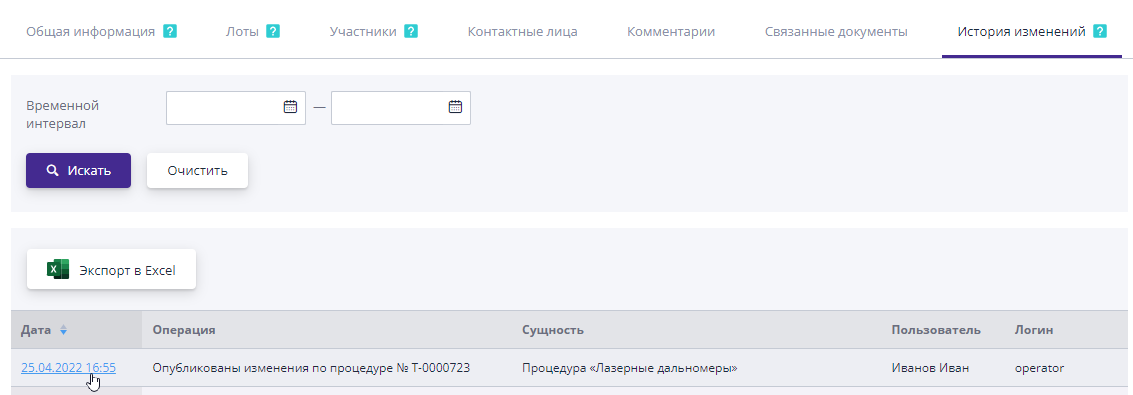
On the page that opens, the changes will be highlighted in color: green - new added information, red - deleted information.
If the electronic signature functionality is enabled in the system, then the published draft changes will need to be signed.The process of signing a draft change is similar to the process of signing a published procedure and is described in the section “Carrying out a procedure”, item “Signing a published procedure”.